---
title: How to integrate with UKG Pro
description: A step by step guide detailing how to set up an integration between Ravio and UKG Pro.
---
[Skip to content](https://help.ravio.com/ukg-pro-hris#main-content)
English
Show submenu for translations

Open main navigation
Close main navigation
- English
Show submenu for translations
- [Contact us](https://fa3fd.share-eu1.hsforms.com/2IkfMVpstTUWvffP5uESSLg)
[Contact us](https://fa3fd.share-eu1.hsforms.com/2IkfMVpstTUWvffP5uESSLg)
How can we help you?
- There are no suggestions because the search field is empty.
1. [Ravio Help Centre](https://help.ravio.com/?hsLang=en)
2. [Integrations and data sharing](https://help.ravio.com/integrations-and-data-sharing?hsLang=en)
3. [Setting up your HRIS integration](https://help.ravio.com/integrations-and-data-sharing?hsLang=en#setting-up-your-hris-integration)
# How to integrate with UKG Pro
## A step by step guide detailing how to set up an integration between Ravio and UKG Pro.
### Prerequisites
You need to be an Admin in your UKG instance to set this integration up. If you are not an admin, please reach out to your UKG admin.
### Step by Step Instructions
#### Step 1 - Find your service domain and customer API key
Log into your UKG Pro instance
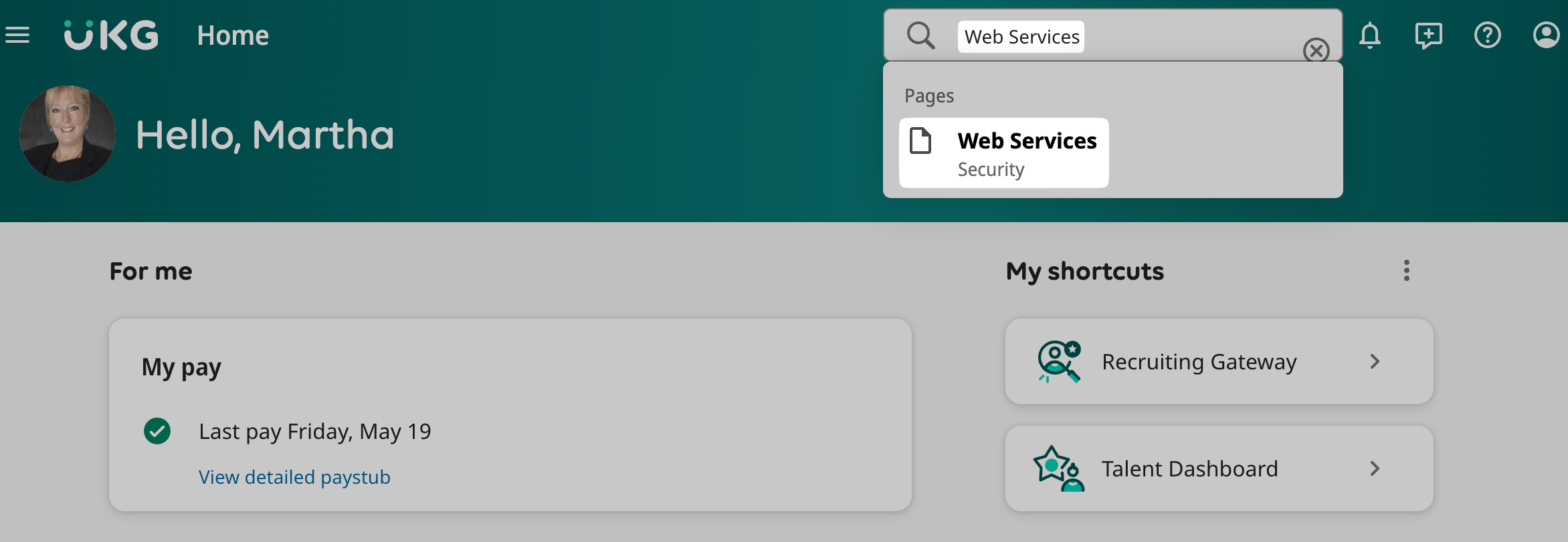
Click on the **Search bar** and enter “**Web Services**”
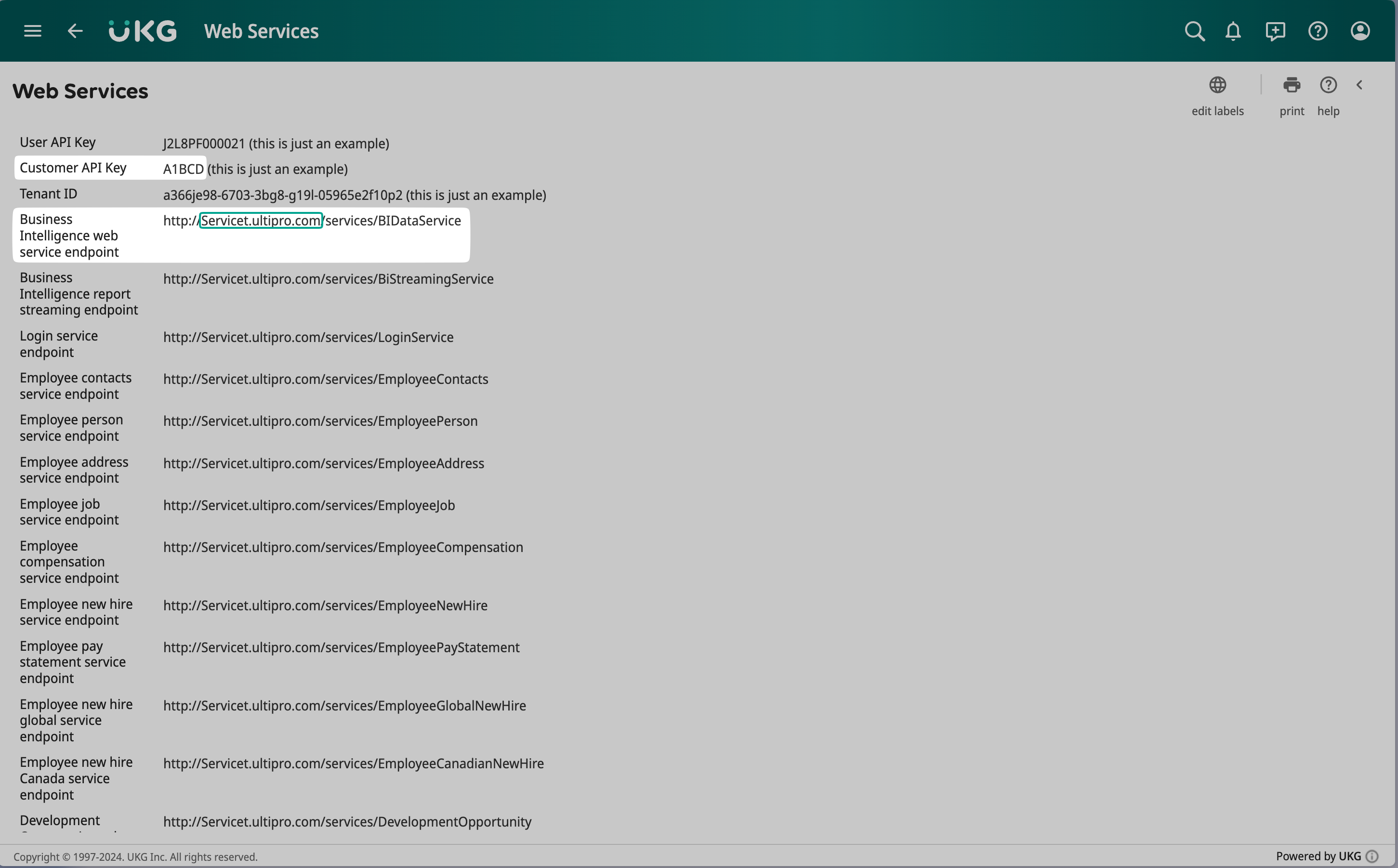
Copy the following values from the page that just appeared:
- **Customer API key**
- **Service domain** (which is part of your "Business Intelligence web service endpoint)
#### Step 2 - Create a service account
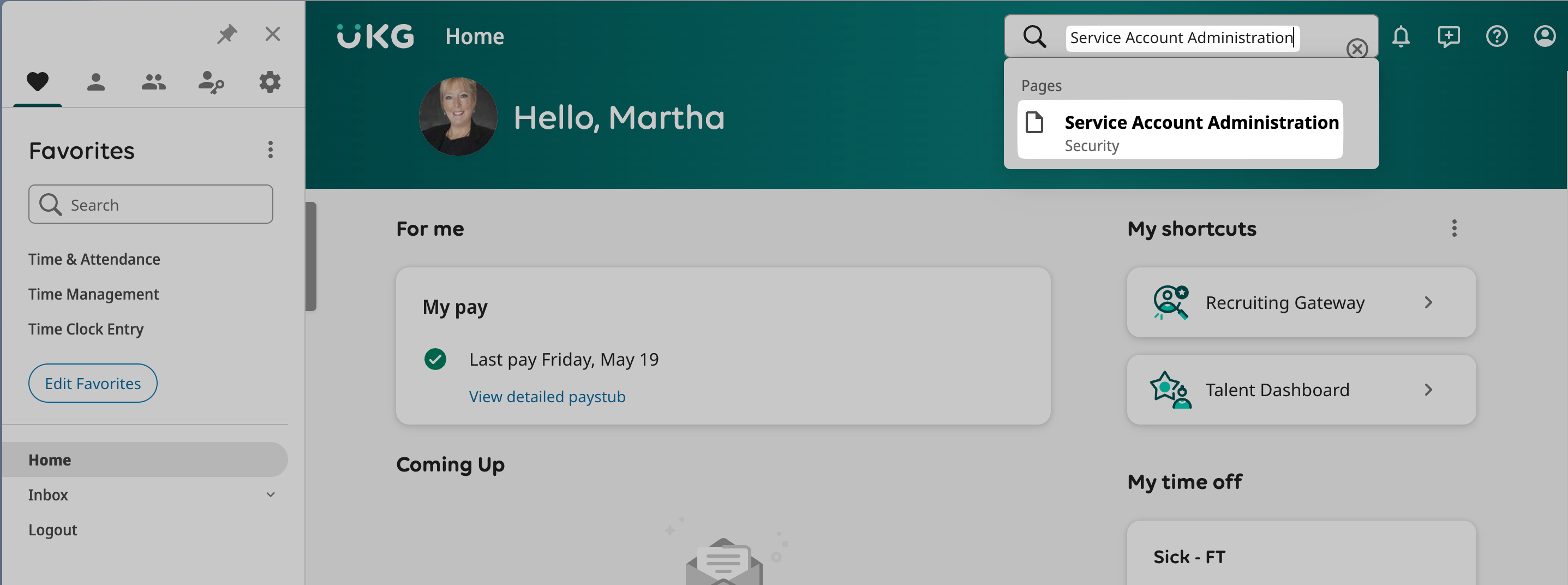
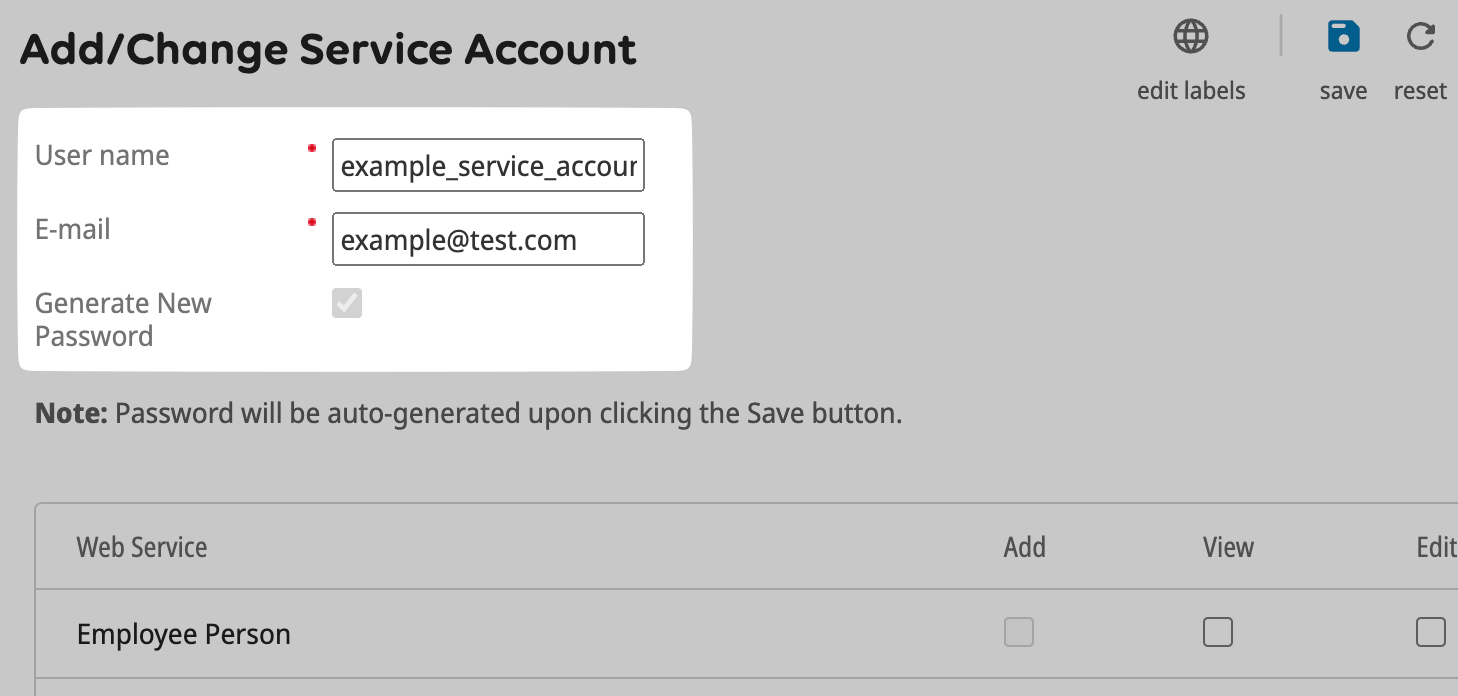
Click on the **Search bar** and enter “**Service Account Administration**”. Then click the “Add” button on the top right.
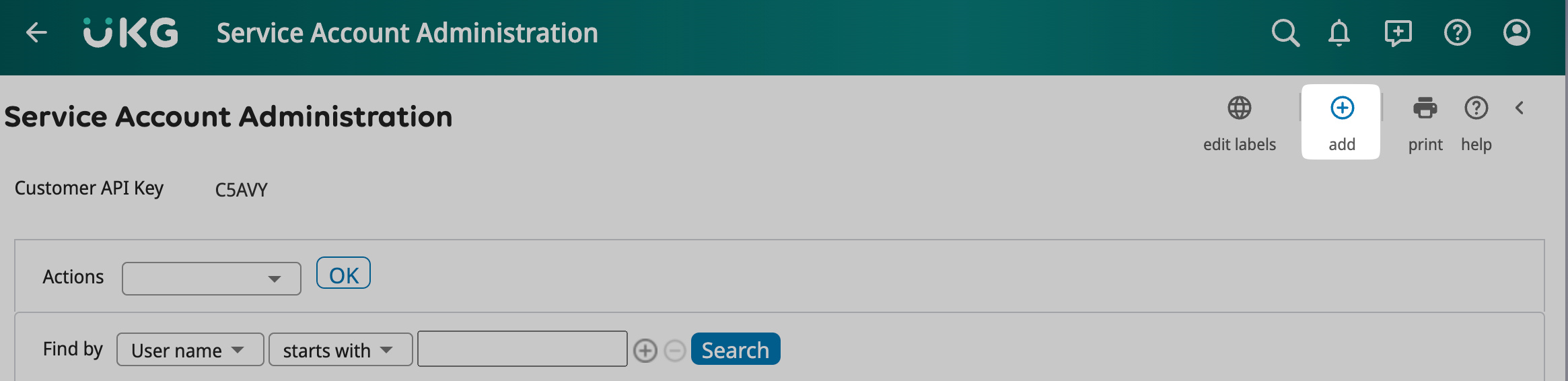
Set a username and user email for this service user and **note down the username.**
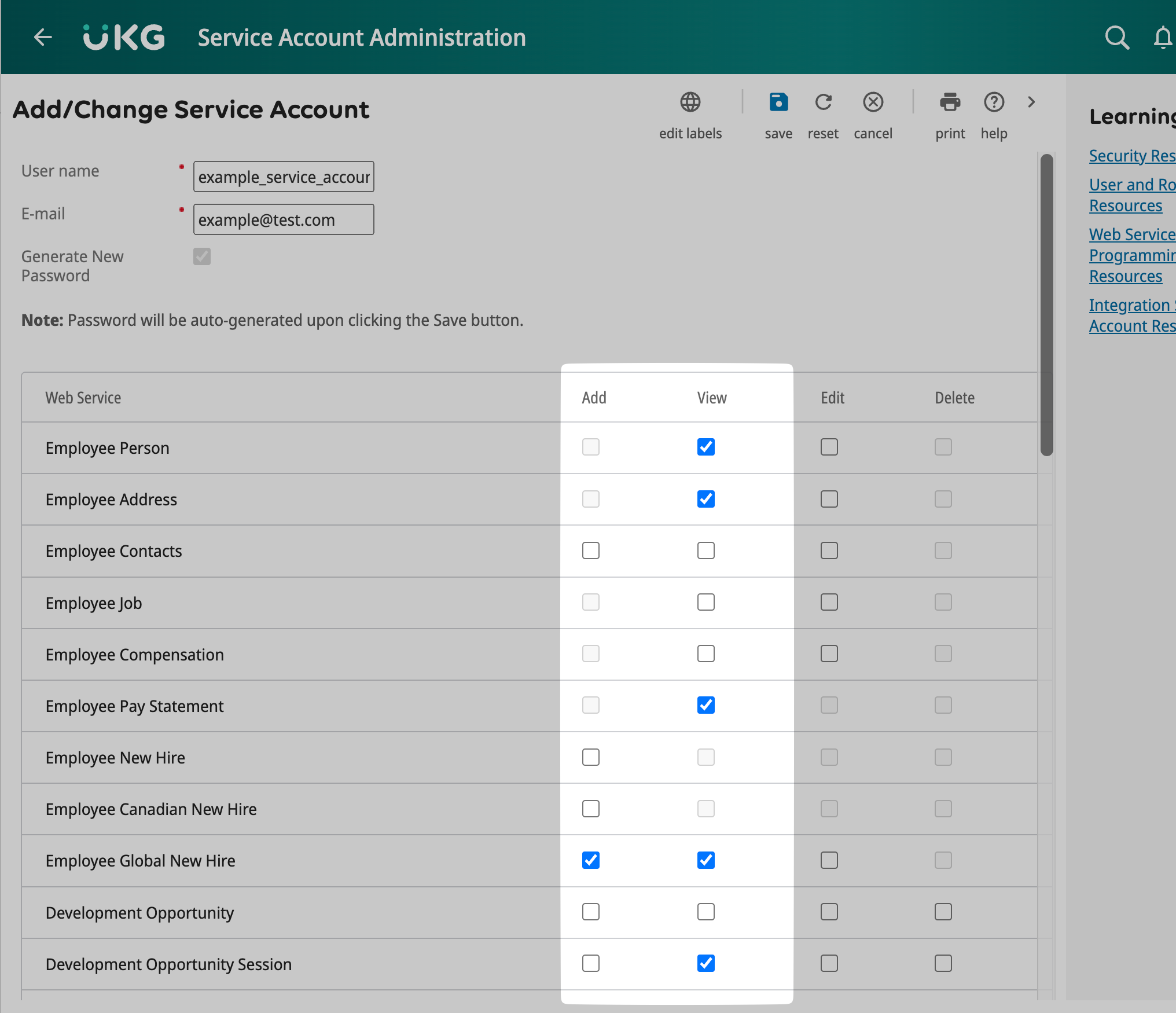
Set the permissions of the service user according to the connection flow. The below example is just indicative please refer to the permissions in your onboarding flow.
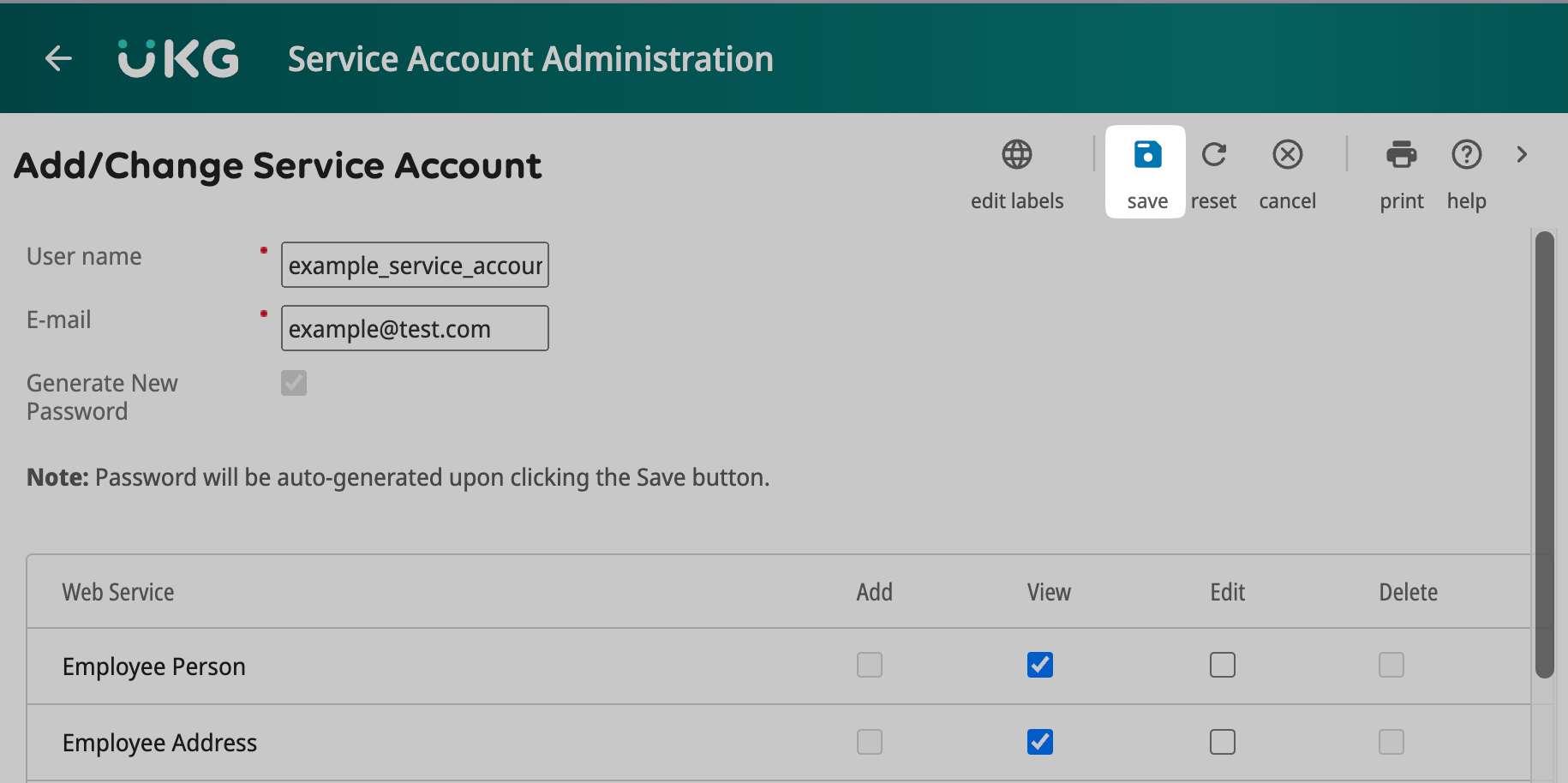
Click "**Save**" and then "**OK**"
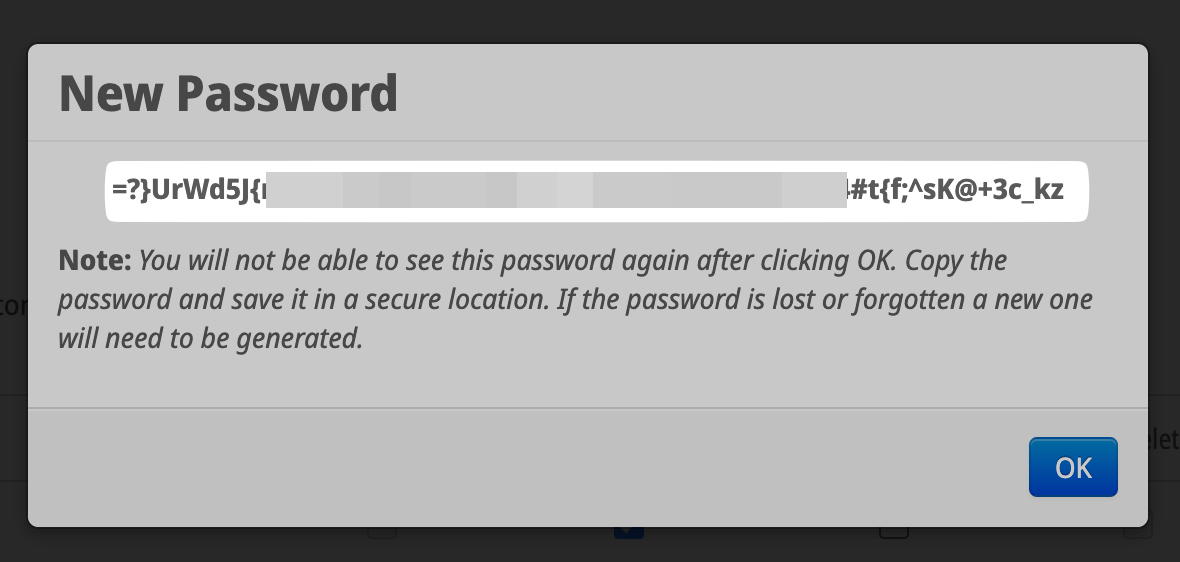
The password is now being displayed, please save it in a secure place! This is the only time you will be able to view this password.
#### Step 3 - Enter the details into Ravio onboarding.
Enter your saved Web Service URL, Service User Name & Password, and the Customer API Key into the Ravio onboarding.


- [Getting started](https://help.ravio.com/getting-started?hsLang=en#main-content)
- [Onboarding](https://help.ravio.com/getting-started?hsLang=en#onboarding)
- [Benchmarking](https://help.ravio.com/getting-started?hsLang=en#benchmarking)
- [Pay equity](https://help.ravio.com/getting-started?hsLang=en#pay-equity)
- [Video guides](https://help.ravio.com/getting-started?hsLang=en#video-guides)
- [Using Ravio with AI tools](https://help.ravio.com/getting-started?hsLang=en#using-ravio-with-ai-tools)
- [Integrations and data sharing](https://help.ravio.com/integrations-and-data-sharing?hsLang=en#main-content)
- [Setting up your HRIS integration](https://help.ravio.com/integrations-and-data-sharing?hsLang=en#setting-up-your-hris-integration)
- [Variable and equity data](https://help.ravio.com/integrations-and-data-sharing?hsLang=en#variable-and-equity-data)
- [Manually sharing employee data](https://help.ravio.com/integrations-and-data-sharing?hsLang=en#manually-sharing-employee-data)
- [Setting up your ATS integration](https://help.ravio.com/integrations-and-data-sharing?hsLang=en#setting-up-your-ats-integration)
- [Managing your integration](https://help.ravio.com/integrations-and-data-sharing?hsLang=en#managing-your-integration)
- [Video guides](https://help.ravio.com/integrations-and-data-sharing?hsLang=en#video-guides)
- [Ravio feature guides](https://help.ravio.com/ravio-feature-guides?hsLang=en#main-content)
- [Salary bands](https://help.ravio.com/ravio-feature-guides?hsLang=en#salary-bands)
- [Explore the market](https://help.ravio.com/ravio-feature-guides?hsLang=en#explore-the-market)
- [Employee mapping & levelling](https://help.ravio.com/ravio-feature-guides?hsLang=en#employee-mapping-levelling)
- [Manage my data](https://help.ravio.com/ravio-feature-guides?hsLang=en#manage-my-data)
- [Settings](https://help.ravio.com/ravio-feature-guides?hsLang=en#settings)
- [Analyse your company](https://help.ravio.com/ravio-feature-guides?hsLang=en#analyse-your-company)
- [EU Pay Transparency](https://help.ravio.com/ravio-feature-guides?hsLang=en#eu-pay-transparency)
- [User and access management](https://help.ravio.com/user-and-access-management?hsLang=en#main-content)
- [User permissions](https://help.ravio.com/user-and-access-management?hsLang=en#user-permissions)
- [Single Sign On (SSO)](https://help.ravio.com/user-and-access-management?hsLang=en#single-sign-on-sso)
- [Benchmarking and data confidence](https://help.ravio.com/benchmarking-and-data-confidence?hsLang=en#main-content)
- [Data](https://help.ravio.com/benchmarking-and-data-confidence?hsLang=en#data)
- [Troubleshooting and support](https://help.ravio.com/troubleshooting-and-support?hsLang=en#main-content)
- [Contact support](https://help.ravio.com/troubleshooting-and-support?hsLang=en#contact-support)
- [FAQ](https://help.ravio.com/faq?hsLang=en#main-content)
- [Billing and invoices](https://help.ravio.com/faq?hsLang=en#billing-and-invoices)
- [Compliance](https://help.ravio.com/faq?hsLang=en#compliance)
- [Ravio community](https://help.ravio.com/faq?hsLang=en#ravio-community)
- [Sales](https://help.ravio.com/faq?hsLang=en#sales)
- [Integrations](https://help.ravio.com/integrations?hsLang=en)
- [Uncategorized](https://help.ravio.com/uncategorized?hsLang=en)
- Home
- Products
- Pricing
- Blog
- Company
[](http://ravio.com)
[mailto:hello@ravio.com](mailto:hello@ravio.com)
Copyright © 2026, Ravio Technologies Ltd