
Upload Template
Download the template in HR System: click Settings to switch to Upload data manually.
Remember to select Standard (to see employee names) or Anonymous (no names)
Data Requirements
Please ensure either way, your file covers the following fields for all your employees.
More details can be found here: Ravio Data Requirements
| Type | Field | Importance | Examples |
| Employee | Employee Unique ID | Required | 12345, A10000, 1 |
| Employee First Name | Required - Unless onboarding via "anonymous" | Alex | |
| Employee Last Name | Required - Unless onboarding via "anonymous" | Smith | |
| Role | Job Title | Required | Account Executive, Chief Executive Officer |
| Job Level | Required | IC1, M1, S2 | |
| Work Location (City, Country) | Required | NL, Netherlands, UK, Spain | |
| Organisation | Job Family | Optional - Unlocks additional analyses | Sales, Product, Engineering |
| Manager Full Name | Required - Unless onboarding via "anonymous" | Joe Jones | |
| Manager Unique ID | Required - Must match name if provided. | 12345, A10000, 1 | |
| Employment | Employment Type | Optional - Unlocks additional analyses | Full Time, Part Time, Contractor, Intern |
| Start Date (D/M/YYYY) | Optional - Unlocks additional analyses | 1/1/2025 | |
| Employee attributes | Gender | Optional - Required to unlock pay equity benchmarks & analysis | M, F, Male, Female |
| Date of birth | Optional - Required to unlock age benchmarks & analysis | 1/1/2025 | |
| Base salary | Currency | Required | GBP, EUR |
| Base Salary (Annual) | Required | 30000, 5000 | |
| Working Hours Per Week | Optional - Helpful to benchmark part time employees in Ravio | 35, 40 | |
If you are providing us with levels, please provide us with a framework of what these levels mean in the level framework sheet. We can also accept these in a separate document.
If these fields are not present, it will take much longer to get access to the full Ravio capabilities. It’s much quicker to ensure that these fields are present from the beginning.
Step by Step for Manual Upload Step 1 - Create Ravio Account
Create an Account here, if you are onboarding with full data (i.e. employee names visible).
Use the link here, if you are onboarding anonymously (i.e. no PII).
Step 2 - Prepare the File
In the first step, you are prompted to upload your employee data. We are providing you with a template to download that can be filled it, if needed.
- If you have an HRIS that we do not support, you can most likely prepare a report with all fields we require, download and then upload this file.
- If you have no HRIS but have a google or excel sheet, or payroll system, that stores your salary data. Then, it’s likely easier to download the Ravio template and fill it in.
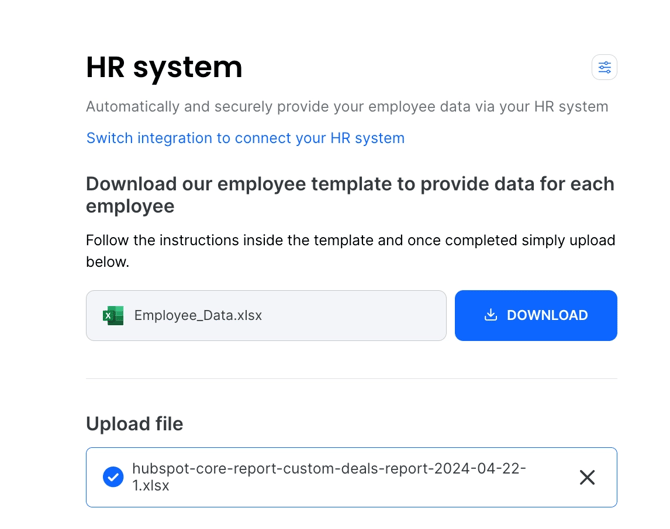
Step 3 - Upload the File
Ensure the file is saved either as CSV or Excel Sheet, as those are the only file formats we can support at this point in time and upload the file.
Important Notes
Common identifier for future integration
If you want to move to an integration later in time, or are uploading right now because you are in between HRIS, we need a “consistent identifier”, for example an employee email. The reason an employee ID or name might not suffice, as there often tends to be inconsistencies (e.g. Sarah Smith gets married, and is now called Sarah Miller; or employee IDs change).
Your upload replaces your existing data
Manual uploads work as a full replacement rather than an update – whatever is in your file becomes your complete employee list in Ravio.
Always include every current employee, not just the people whose details have changed. Anyone missing from the file will be removed from your data. Leavers are removed by leaving them out of your next upload.