
Prerequisites
To set this integration up you need to be an Organisational Admin in your company’s Ashby instance.
You can check this by confirming you can select the ‘Admin’ tab in the top menu.
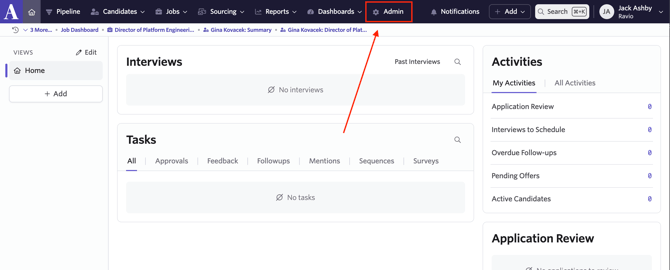
If you are not an Organisational Admin please reach out to your Ashby Admin or IT department.
Step by Step Instructions
Step 1 - Navigate to the API Keys Page
In Ashby, navigate to Admin > API Keys:
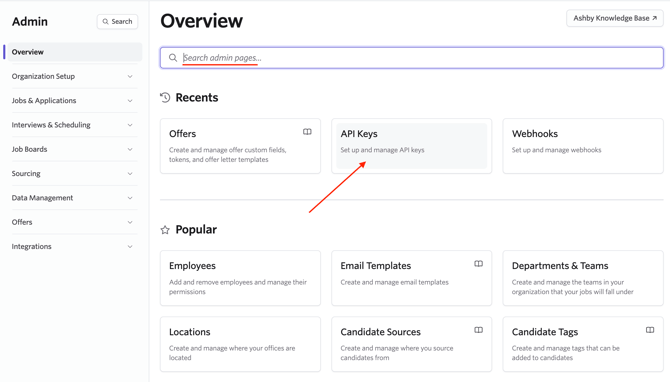
Step 2 - Create a Ravio API Key
When on the API Keys page, click "+ New".
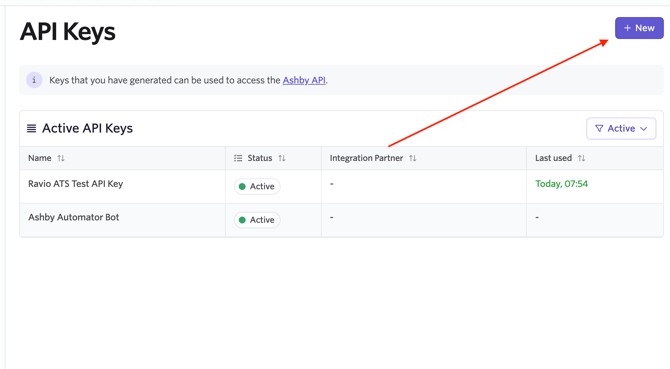
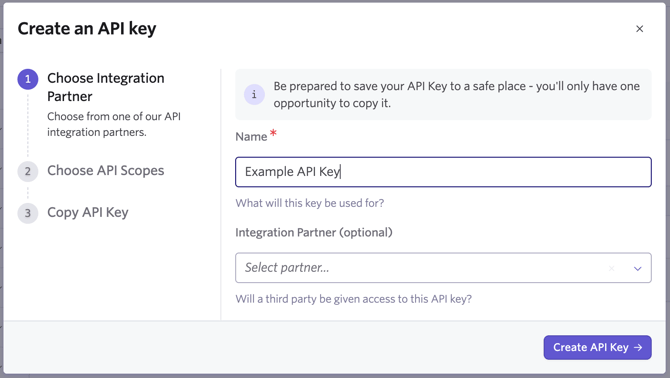
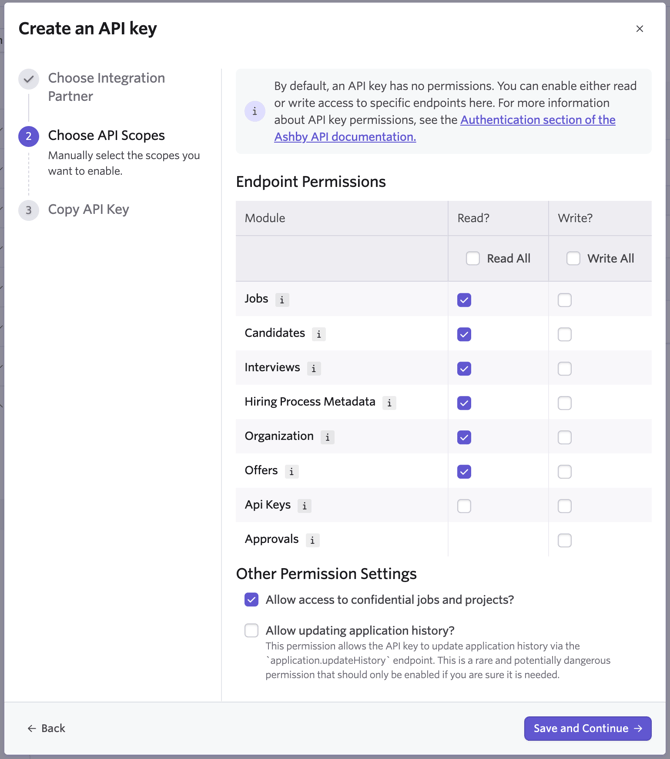
Assign the Correct Permissions
Permissions:
- API Keys → Read
- API Keys → Write
- Jobs → Read
- Candidates → Read
- Interviews → Read
- Hiring Process Metadata → Read
- Organization → Read
- Offers → Read
- Allow access to confidential jobs and projects → Yes
Copy the key that appears. Make sure to do this now as this information does not appear again.
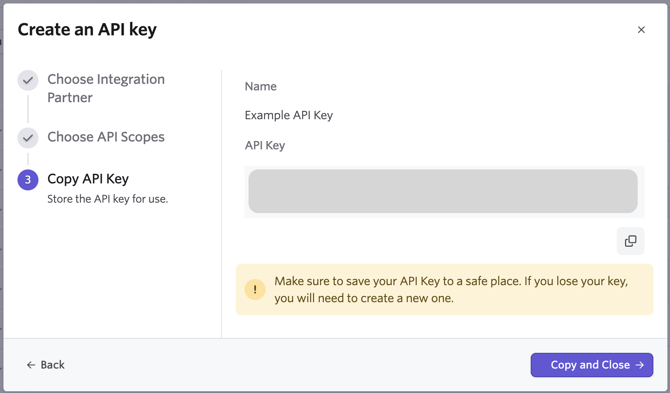
Paste the API Key into Ravio. Then click "Set up integration" and you are finished.